The challenge
The stock lived in a system nobody could update fast enough.
In a large company, IT department consumables (cables, spare parts, and small hardware) fell outside the main warehouse system. Updating anything there meant going through a long request chain, days for a change that should take minutes. IT tickets move fast; the stock records never kept up.
The solution
The M365 & n8n Bridge: Connecting Corporate Infrastructure Securely.
In an enterprise environment, Active Directory and corporate Outlook are heavily restricted, preventing direct access from external tools. Rather than attempting a complex, high-friction direct API integration, I built a reliable hybrid bridge. n8n acts as the central execution engine (processing and validating transactions, and managing the database ledger), while Power Automate handles the Microsoft-native actions (pulling employees from Active Directory and triggering nudge emails via Outlook). Communicating strictly via structured webhook contracts, this cooperation creates a reliable, zero-maintenance data pipeline that respects corporate IT boundaries.
The impact
Audits stopped being a guessing game, and paperwork stopped getting forgotten.
Because every change is logged automatically instead of relying on someone remembering to update a cell, physical audits now reconcile against a real transaction trail instead of a static number. A mismatch gets flagged as a variance row, not silently overwritten, so follow-up on a stock issue happens the same day instead of waiting for the next manual recount. And because a small poller now watches every item handed out, the internal paperwork it requires no longer depends on someone remembering to file it.
How it fits together
How the pieces connect.
The sheet is only the face, where every write passes through n8n before it lands, and two Microsoft-side jobs feed it fresh people-data and nudge stragglers. No sensitive details, just the wiring.
Google Sheetsprotected · owner-only
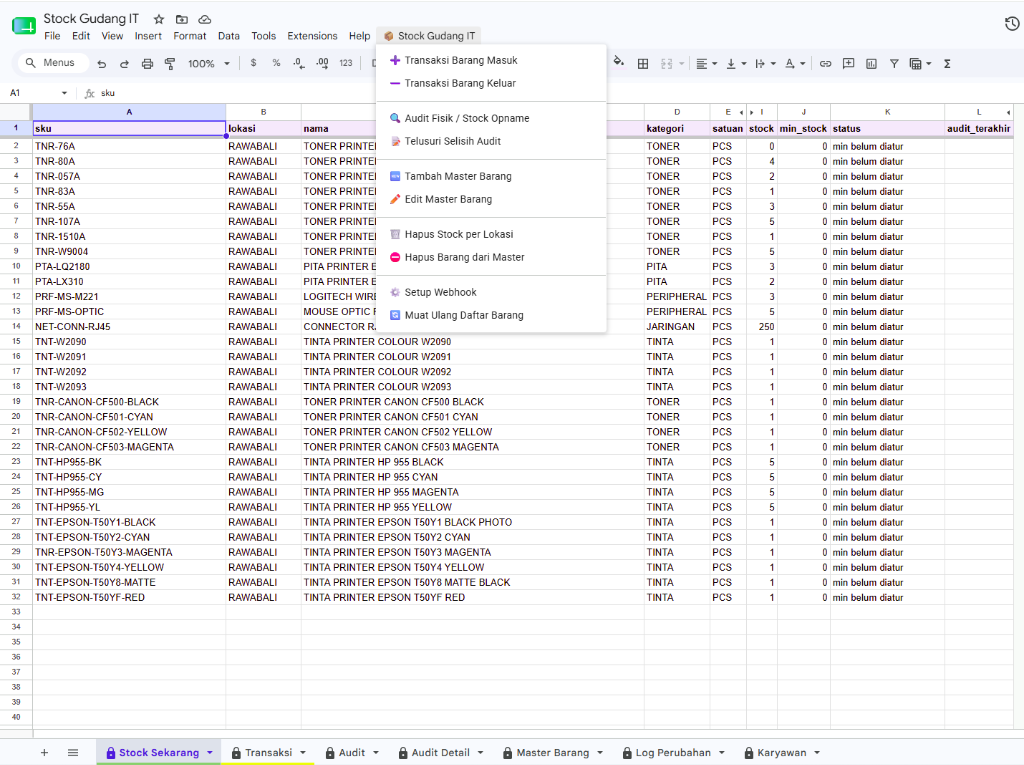
the team works through a custom menu, where every action opens a dialog, never a raw cell edit
Apps ScriptUI only · dialogs, no writes
the dialog posts to n8n, tagged by action and location; the matching workflow re-validates everything before it touches the sheet
n8n3 independent workflows
n8n writes as the sheet owner, appending to the ledger and recomputing stock from scratch
Transaksi ledgerappend-only, per location
Stock Sekarangrecomputed, never typed
on its own schedule, Power Automate pulls the company directory in and pushes paperwork-reminder emails out, talking to n8n only through its webhook contract
Power AutomateAD sync · reminder emails
Company directoryActive Directory
Questions & comments
Curious about this build?
Interested, or want to ask how something works? Leave a public comment.
Loading comments…